


Is your restaurant’s POS system making life harder for your staff? Our experience shows how the right POS system can transform your daily operations.
Modern restaurant management demands tools that work for you. Orgnyz provides restaurant POS system software that manages dine-in, delivery and pickup orders from a single screen. A great restaurant POS system does more than process transactions – it transforms your workflow completely. Orgnyz lets you take orders, accept payments, split bills and print receipts with just a few taps. The system stands out because restaurants can use it free forever. This allows you to evaluate the platform without any financial risks.
This piece explores 10 essential restaurant POS system features from Orgnyz that will streamline your operations. These tools cater specifically to cafés, quick service restaurants, and dine-in establishments that need practical solutions without complexity.
1. Fast billing that any staff can use
Time equals money in the restaurant business, and your POS system should help, not hold you back. 73% of restaurant operators say their biggest operational challenge is getting staff comfortable with technology. Orgnyz solves this with a billing interface that’s so easy to use, even first-day employees can handle it confidently.

Fast billing interface overview
The Orgnyz restaurant POS system comes with a clean, simple billing screen that puts the most-used tasks front and center. Most systems overwhelm users with too many options. Orgnyz keeps it simple with:
- Clear item selection buttons
- One-tap modifiers and additions
- Visible order totals
- Simple payment processing options
The design matches how restaurants work in real life. Orders flow naturally from taking them to kitchen tickets, billing, and payment without extra steps. Staff can use the system on any device with a browser, whether it’s a tablet at tables or a computer at the counter.
How it reduces training time?
Orgnyz’s simplicity cuts training time significantly. While businesses with good POS training see a 56% reduction in checkout times, Orgnyz needs minimal training to begin with.
Staff members can start taking orders within an hour, unlike other systems that need days of training. Quick onboarding lets you:
- Get new hires productive almost immediately
- Reduce the stress of employee turnover
- Save on training costs and resources
Your restaurant can keep service quality high even during staff changes. The system is so easy to use that temporary staff can jump right in without much preparation.
Impact on rush hour operations
Every second matters during peak hours. Orgnyz POS really shows its value during lunch or dinner rushes. The quick order entry system helps staff serve more customers quickly without mistakes.
The speed difference matters – businesses using simplified POS systems now complete in 2 hours what used to take 16 hours. Restaurants that use billing software for faster checkouts grow revenue 1.4x faster than those using manual methods.
The system lets servers process payments at tables, so customers don’t wait for checks while servers juggle multiple bills. Table turnover improves – crucial for maximizing busy period revenue – without sacrificing service quality or accuracy.
Orgnyz turns busy rush periods into profit opportunities. You can serve more customers while keeping their experience great.
2. KOT generation without confusion
Kitchen miscommunication creates chaos that can destroy a restaurant’s reputation. Misheard orders, lost tickets, and confused staff create unhappy customers and waste food. Orgnyz tackles this problem with its optimized Kitchen Order Ticket (KOT) system.

What is KOT in restaurant POS systems?
A Kitchen Order Ticket connects your front-of-house and kitchen staff. The ticket shows order details—table number, items ordered, quantities, and special requests. Restaurants used handwritten tickets that staff carried to the kitchen, which created errors and delays.
Modern restaurant POS systems generate KOTs automatically when customers place orders. The information flows directly to the kitchen. Servers don’t need to manually communicate orders, which reduces errors during rush hours.
How Orgnyz simplifies kitchen communication?
Orgnyz revolutionizes kitchen communication with its accessible KOT system. The system creates clear, well-organized KOTs that kitchen staff can see right away. Many systems overwhelm chefs with too much information. Orgnyz KOTs show only what matters:
- Table/order number clearly displayed
- Items ordered with quantities
- Special modifications highlighted
- Preparation notes prominently featured
This clarity makes a difference—studies show digital tools that replace handwritten tickets can cut order errors by up to 90%. The system also prioritizes orders automatically, which helps kitchen staff handle multiple tickets without confusion.
The system gets even better as it sends specific items to the right kitchen stations. Grill orders go to the grill station while salad orders reach the salad prep area. Kitchen staff don’t waste time sorting through irrelevant tickets and focus on their tasks.
Benefits for dine-in and takeaway
Clear KOTs optimize efficiency throughout the restaurant. Kitchen staff get orders instantly without servers running back and forth. This reduces preparation times by approximately 30%. Faster service means higher table turnover and happier customers.
The system shines with takeaway orders. Online orders from delivery platforms create KOTs automatically. Kitchen staff don’t miss orders during rush hours. They treat delivery orders just like dine-in tickets.
Both service types become more accurate. Kitchen staff don’t need to decode handwriting or ask servers questions. This eliminates delays and confusion. Research shows that restaurant POS systems with good KOT features can improve kitchen efficiency by up to 25%. Customers get their orders correctly and quickly.
Managers can track each order through up-to-the-minute data analysis. They spot bottlenecks or problems right away instead of waiting for customer complaints.
3. POS that Works on any device with a browser
Restaurant owners face a big challenge when upgrading their operations – the cost of hardware. Traditional POS systems need expensive specialized equipment that can break the bank. Orgnyz changes this by removing these hardware requirements completely.
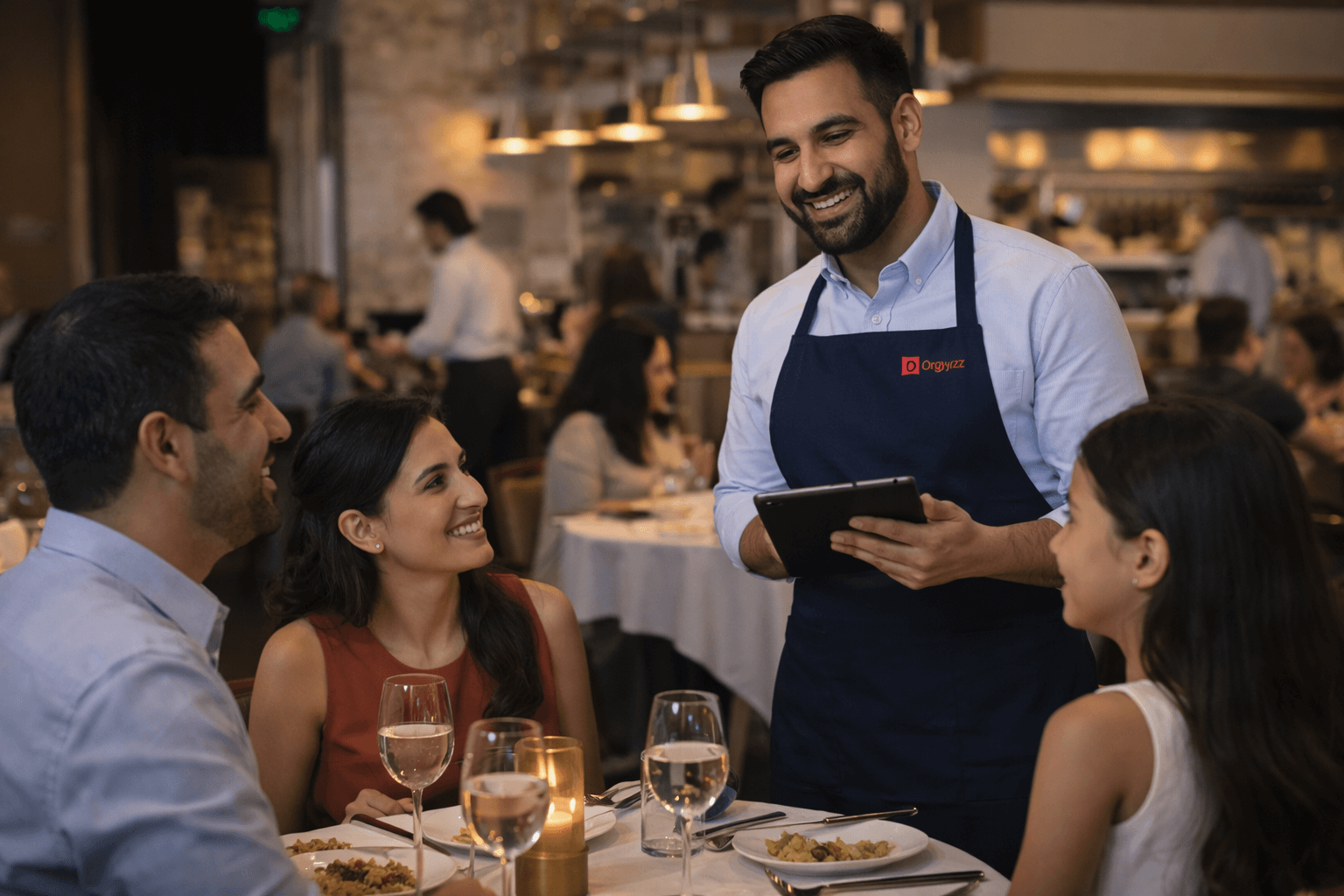
Device compatibility of Orgnyz POS
The Orgnyz restaurant POS system works naturally with any device that has a web browser. You can use:
- Tablets (both Android and iPad)
- Smartphones
- Laptops
- Desktop computers
- Kiosks
Orgnyz gives you true flexibility, unlike traditional systems that tie you to specific hardware. Your staff can take orders on tablets at tables, process payments at a counter computer, and check inventory from a manager’s laptop—all in one system.
The system needs very basic requirements. Just like other web-based POS systems that suggest an 8-inch screen for easy operation, Orgnyz adapts to different screen sizes while staying functional.
No installation or hardware needed
Orgnyz runs through your web browser, so you don’t need to install any software. You just log in through any standard internet browser. This web-based design brings several benefits:
Your team never worries about software updates—they happen in the background automatically. You don’t have to think about operating system versions. Storage space on your devices is never an issue.
This matches what other web POS systems offer when they remove the need for specialized hardware. The system keeps all your data safe in the cloud, letting you access it immediately from any place with internet.
Why this matters for small restaurants?
Small restaurant owners get practical benefits beyond convenience with this device flexibility. You save money by using the tablets, computers, or smartphones you already own. Advanced POS features become available even with a small starting budget.
The system helps growing restaurants that work in different settings. You get consistent performance at a café counter, in a food truck, or while handling deliveries without needing multiple hardware setups.
A broken device won’t stop your business—just grab another internet-connected device and keep going. Traditional hardware-based systems can’t match this peace of mind.
The browser-based approach makes growth simple. Adding more devices as your restaurant expands needs no complex setup or compatibility checks. Small restaurants looking to grow find this especially valuable.
4. Free POS software to start, no pressure to pay
Restaurant owners often can’t upgrade their operations with modern technology due to money concerns. High startup costs stop many establishments from going digital with their processes. Orgnyz completely removes this roadblock with a truly free solution.
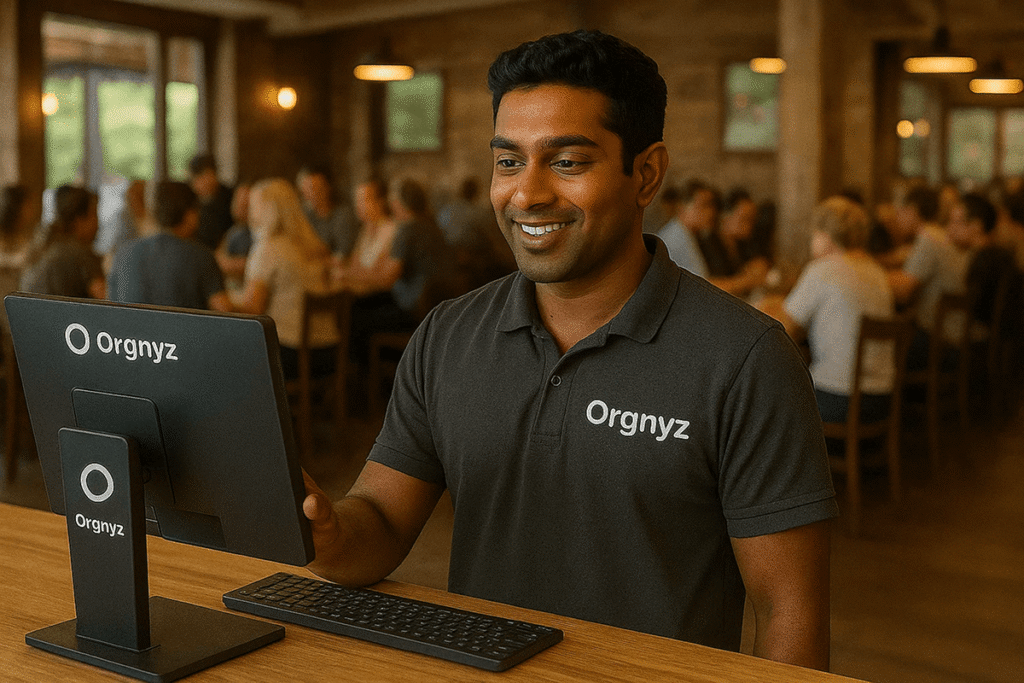
Orgnyz free restaurant POS system explained
Orgnyz stands out from competitors who only give “free trials” by providing a complete restaurant POS system you can use forever without paying. The system comes with features restaurant owners actually need:
- Menu management and item customization
- Order taking and billing
- Kitchen order ticket generation
- Simple reporting and analytics
This isn’t just a demo version – it’s a fully working restaurant POS system that handles your daily operations. Just like other systems with “free forever” plans, Orgnyz gives real value without pushing paid upgrades.
No credit card or setup fees
You can start using Orgnyz without spending a penny. The system doesn’t ask for credit card information, so you won’t face surprise charges or forgotten cancelations. There aren’t any setup fees, and you can begin right after you register.
This makes Orgnyz different from traditional POS providers who demand payment processing commitments or monthly fees. Restaurant owners often feel frustrated with systems that bundle credit card processing or charge subscriptions.
How this helps new restaurant owners?
New restaurants must manage their cash flow carefully. Orgnyz helps preserve capital by eliminating POS costs upfront, letting owners use that money for inventory, marketing, or training staff.
The benefits go beyond just saving money. New restaurant owners get a chance to test the system in their actual business without any pressure. This hands-on experience is a great way to get to know if the system matches your business needs.
The system lets you adopt technology at your own speed. Your staff can learn without rushing to get value from an expensive subscription. This relaxed approach usually results in better implementation and more employees using the system.
Try Orgnyz POS for free and make daily restaurant billing easier without hidden costs or complex contracts. This practical approach lets you focus on what really matters – running your restaurant smoothly.
5. Designed for real restaurant flow
A restaurant’s daily rhythm follows patterns that smart POS systems should respect. Many restaurant POS systems make staff adapt to the software. Orgnyz takes a different path by building its system around how restaurants work.

Understanding the restaurant workflow
The way restaurants work hasn’t changed much over decades. A standard flow exists from the moment customers order until they leave:
- Table service or counter order entry
- Kitchen communication via order tickets
- Food preparation and delivery
- Bill generation and payment processing
This process happens dozens or hundreds of times at once during busy hours. Studies show staff can handle orders, manage transactions, and use system functions better when the POS matches this natural flow. The pressure of dinner service rush makes an easy-to-use design essential, as restaurants earn two to three times as much per hour between 6-9 PM compared to other times.
How Orgnyz mirrors ground operations?
Orgnyz created its restaurant POS system by watching how restaurants work. The system sends orders from the POS terminal straight to kitchen displays, which alerts kitchen staff about new orders. Kitchen displays show any customizations clearly with the order, which helps chefs prepare dishes right the first time.
The interface lets staff update order status (under progress, ready to go, processed), which creates visibility throughout the restaurant. This matches how kitchen staff traditionally call out updates but removes any confusion. The POS also calculates order totals with taxes and fees, similar to how servers did the math before.
Why this reduces confusion and errors?
Front of house teams work under heavy pressure, especially during rush hours. Staff don’t need to translate between their thinking and the system’s logic when a POS system matches the restaurant’s operations. This arrangement works – restaurants using POS systems built around actual workflows have cut order errors by nearly 30% after implementation.
The core team understands where to find functions without much training because everything follows the restaurant’s natural rhythm. This workflow-based design leads to fewer mistakes, faster service, and happier customers—exactly what restaurant owners want.
6. Faster service during peak hours
Peak hours test restaurant operations to their limits. The lunch rush or dinner service determines if your day ends with profit or frustration. Orgnyz POS helps restaurants turn these high-pressure periods into chances to maximize efficiency.
Quick service restaurant POS system benefits
Orgnyz shines during busy periods with its power to handle high-volume traffic bursts that quick-service restaurants face daily. The system keeps running smoothly without slowdowns or crashes at the time your restaurant sees peak customer traffic.
Speed sits at the heart of successful restaurant operations. Orgnyz delivers this through:
- Instant communication between servers and kitchen
- Efficient billing that reduces customer wait times
- Clear order prioritization during rush periods
These features help restaurant owners achieve what matters most—serving more customers quickly. Restaurants using efficient POS systems have reported table turnover increases of up to 20%, which boosts revenue during these vital hours.
Speeding up order entry and billing
Order entry speed affects how well you handle peak periods. Orgnyz makes this simple through conversational ordering, which lets staff enter items as customers mention them. This natural approach saves precious seconds with each order.
Orgnyz payment processing includes contactless options that work up to 50% faster than traditional chip-based transactions. Combined with tableside payment features, this cuts average table turn time from 75 to 60 minutes.
The system removes extra steps in the ordering workflow. Tasks that once took 16 hours now take just 2 hours with efficient POS systems. Staff can focus on customer service instead of administrative work.
Serving more customers efficiently
Your profit margin during peak hours depends on how many customers you serve efficiently. Orgnyz helps boost these numbers through:
Tableside ordering boosts server efficiency by up to 20% based on data from major POS providers. Servers can handle more tables at once while maintaining service quality.
The system’s easy-to-use interface reduces staff stress during busy hours and creates a calmer work environment even at full capacity. Staff doesn’t need to remember complex pricing or manual processes.
Speed must balance with accuracy. Orgnyz sends orders straight to kitchen displays to minimize miscommunication. Kitchen workflow improves and waiting times drop, giving customers a better dining experience.
The result? More happy customers served quickly—exactly what you want during those vital peak hours.
7. Reduced restaurant billing mistakes
Billing mistakes drain restaurant profits and damage customer relationships. Small errors can lead to most important losses over time. Inaccurate orders result in wasted food, unhappy customers, and lost revenue.
How Orgnyz prevents wrong orders?
Orgnyz restaurant pos system prevents order errors through its simplified digital process. Paper-based systems let staff misplace or misread handwritten tickets. Orgnyz digitizes the process from start to finish. The system maps menu items, modifiers, taxes, and discounts automatically to eliminate duplicate or wrong entries.
The touchscreen interface speeds up order processing without compromising accuracy. Staff tap menu items on screen instead of writing orders by hand, which reduces interpretation errors. This touch-based system is a great way to handle your restaurant’s dinner rush.
Clear item selection and totals
Orgnyz’s visual clarity stops selection errors before they happen. Menu items show up with descriptions and optional photos. This helps staff verify they pick exactly what customers want. The visual confirmation step prevents common ordering mistakes.
The system calculates order totals with taxes and fees automatically. This removes the risk of manual calculation errors. Orgnyz also handles:
- Automated calculations for discounts and taxes
- Clear pricing updates for all menu items
- Accurate application of modifiers and add-ons
Avoiding customer disputes
Customer disputes start from billing confusion. Orgnyz reduces these confrontations by creating clear, itemized receipts that make sense to customers. Each receipt shows your restaurant’s name, location, and purchase details clearly. This eliminates confusion when customers check their charges later.
Digital order confirmation lets customers check orders before preparation to prevent errors. This confirmation step ensures takeaway customers get exactly what they ordered.
The detailed digital record of every transaction creates a reliable paper trail to protect your business during disputes. This documentation captures timestamps, item details, and payment information—everything you need to resolve questions quickly and fairly.
Orgnyz maintains customer trust and satisfaction by eliminating common billing errors. This protects your revenue and reputation.
8. Easy setup, no technical help needed
Most people imagine technicians, complicated installations, and days of downtime when setting up a new restaurant POS system. Orgnyz changes this perception with a setup process so simple that restaurant owners can do it themselves in minutes.

Step-by-step setup process
You need to follow just a few simple steps to get started with Orgnyz:
- Create an account online
- Enter your restaurant’s simple information
- Add your menu items and pricing
- Configure any tax settings
- Connect your printer if needed
The system works through any standard web browser, so it’s available from any device you have. This browser-based approach eliminates the usual waiting time that comes with restaurant POS system installations.
No technician or vendor required
Traditional POS implementations usually involve scheduling technicians, paying setup fees, and spending hours on installation. Orgnyz takes a different path—similar to other modern systems where setup takes just minutes without technicians, contracts, or downloads.
You can launch the software and start using it right away because of its plug-and-play nature. Restaurant owners can control their timeline instead of waiting for vendor availability. The approach saves hundreds or thousands in setup fees that traditional POS vendors charge.
Time saved during onboarding
Your team can start training right after the simple setup. This quick implementation helps your restaurant switch to the new system without disrupting daily operations.
The quick onboarding lets your team learn the system fast and return to their core duties. This time efficiency is a great way to get ahead, especially when you have a new restaurant where customer service needs more attention than technology.
Try Orgnyz POS for free and make daily restaurant billing simple without complex installations or technical hurdles. The efficient setup process will give a clear path to run your restaurant without technology getting in the way.
9. Clean interface that reduces staff stress
A restaurant POS system’s visual design affects how well your staff performs under pressure. Your team needs clarity most when they’re busy, but a messy, confusing interface only adds to their mental load. The team at Orgnyz tackles this basic challenge with their well-crafted interface.

User interface design of Orgnyz
The system shines with its clear visuals, easy navigation, and logical workflows that guide users through their daily tasks naturally. Color-coded status updates and large buttons help users understand what’s happening right away. Staff members stay focused and clear-headed during the busiest service periods thanks to this design approach.
How simplicity helps during busy hours?
Staff members work with more confidence during rush periods because they can count on a straightforward POS to handle immediate challenges. The user-friendly design meets the team’s needs and makes training easier, which encourages front-line staff to take part in daily operations. The system proves easy to use even for staff who aren’t tech-savvy, so new hires learn quickly and work confidently.
Improving staff morale and focus
The clean interface does more than boost efficiency – it makes work more enjoyable. Your staff feels supported and proud to use modern, quick systems. This boost in confidence leads to better job satisfaction, improved service, and bigger tips. The system reduces stress during busy times and creates a positive workspace where your team can focus on customers instead of fighting with technology.
10. Built for small and growing restaurants
Small restaurant owners deal with unique challenges that big enterprise systems often overlook. Orgnyz understands that cafés, cloud kitchens, and single-location eateries need powerful yet simple tools that evolve with their business without creating technical problems.
Who Orgnyz is best for?
Independent restaurants looking for simplicity without losing functionality will find Orgnyz ideal. Similar to other systems where setup takes just minutes with no contracts or downloads needed, restaurant owners can get started quickly. The system proves valuable to:
- New restaurants with limited technical resources
- Family-owned establishments with varied staff tech skills
- Small cafés running on tight margins
- Quick-service venues needing adaptable tools
Businesses can operate smoothly on multiple devices. This makes it perfect for restaurants that move between counter service, table service, or takeout operations.
Scalability for cafés and cloud kitchens
Cloud kitchens managing multiple brands from one location benefit from Orgnyz’s unified dashboard management. Successful cloud kitchens use this centralized approach to handle different menu concepts at once.
Try Orgnyz POS for free and simplify daily restaurant billing without worrying about growth limits. Your business can expand naturally—whether you add new menu sections or launch different service models.
Why simplicity beats complexity?
Complex systems usually need expensive upfront hardware and ongoing maintenance costs. Orgnyz believes simple tools create better results. Studies show staff can handle orders, manage transactions, and use system functions better when the POS matches their natural workflow.
Simple systems let you focus less on managing technology and more on growing your business. Restaurant owners know that margins are tight and customers need attention. This focus on operations makes the difference between struggling and thriving.
Comparison Table
| Feature | Key Benefit | Impact Metrics | Implementation Notes |
| Easy-to-Use Billing Interface | Reduces staff training time | 56% reduction in checkout times | Works on any device with browser access |
| KOT Generation | Removes kitchen communication errors | 90% reduction in order errors | Routes orders directly to kitchen stations |
| Browser-Based System | Standard hardware works fine | Not mentioned | Compatible with tablets, smartphones, laptops, and desktops |
| Free Forever Plan | Zero initial investment needed | No setup fees or monthly charges | Full features available without credit card details |
| Restaurant Workflow Design | Aligns with service patterns | 2-3x revenue during peak hours (6-9 PM) | Follows natural order→kitchen→billing flow |
| Peak Hour Optimization | Better table turnover | 20% increase in table turnover | Orders process 50% faster with contactless payments |
| Error Prevention | Fewer billing disputes | 30% reduction in order errors | Automatic tax and discount calculations |
| Self-Setup Process | Works right out of the box | Setup takes minutes | Start without technical help |
| Simple User Interface | Less stressful for staff | Not mentioned | Status updates with color codes and large buttons |
| Small Restaurant Focus | Grows with your business | Not mentioned | Perfect for cafés, cloud kitchens, and single locations |
Conclusion
These ten essential features of Orgnyz POS tackle the real-life challenges restaurant owners face every day. Orgnyz delivers practical solutions that work during breakfast rushes, weekend crowds, and everything in between, instead of using complex technology that slows down your team.
Restaurant life moves fast. Your POS system needs to keep up without creating more problems. The clean, accessible interface will give your newest server the confidence to take orders on day one. The automatic KOT generation stops those annoying kitchen mix-ups that waste food and make customers unhappy.
Most restaurant owners tell us they were scared to try new technology because of the costs. Orgnyz completely removes this worry with its free-forever plan. You can test the system in your actual restaurant before spending any money.
The browser-based design eliminates the need to buy expensive hardware. Just use your existing tablets, smartphones, or computers. This saves thousands in startup costs while giving you the same features as systems that need special equipment.
Orgnyz stays really easy to use despite its advanced technology. The optimized workflow matches how restaurants actually work. This cuts down stress during those busy peak hours when every second matters. Your staff will love using technology that helps rather than hinders them.
Small and growing restaurants need flexibility without the complexity. Orgnyz grows with your business without creating technical issues. This works great whether you run a neighborhood café, manage a cloud kitchen, or open your first quick-service restaurant.
A POS system should make your daily operations easier, not harder. Simple, user-friendly systems work better than complex ones for staff training and customer happiness. Free tools like Orgnyz let you see these benefits yourself before spending any money.
Try Orgnyz POS for free and simplify daily restaurant billing without the stress, complexity, or high costs that usually come with restaurant technology. Your staff, customers, and profits will thank you.
FAQs
Q1. What are the key features to look for in a restaurant POS system?
Important features include a user-friendly interface, efficient order management, inventory tracking, payment processing integration, and reporting capabilities. Look for systems that offer cloud-based flexibility and strong customer support.
Q2. How can a POS system improve efficiency during peak hours?
A good POS system can speed up order entry, streamline communication between front-of-house and kitchen staff, enable faster payment processing, and provide real-time analytics to help manage high-volume periods more effectively.
Q3. Are there free POS options available for small restaurants?
Yes, some POS providers offer free plans with basic features suitable for small restaurants. These often include core functionalities like menu management, order taking, and basic reporting without upfront costs or monthly fees.
Q4. Can I use a POS system on my existing devices?
Many modern POS systems are web-based and can run on various devices with internet browsers, including tablets, smartphones, and computers. This eliminates the need for specialized hardware and reduces upfront costs.
Q5. How does a POS system help reduce billing errors?
POS systems can significantly reduce billing mistakes through automated calculations, clear item selection interfaces, and digital order tracking. This helps prevent manual entry errors, ensures accurate pricing, and provides a clear record of all transactions.