


Did you know that maintaining an accurate stock inventory list in real-time saves time, reduces costs, and significantly improves customer satisfaction?
Thanks to modern technology, tracking inventory has become more efficient than ever before. Instead of manual data entry and outdated spreadsheets, we can now monitor inventory levels minute-by-minute. When you effectively manage inventory with real-time systems, you avoid running out of essential products while preventing excess stock that ties up your capital. The best part? Setting up a comprehensive inventory tracking system doesn’t require weeks of implementation—we can help you do it in just one day.
In this step-by-step guide, we’ll show you how to create a stock inventory list template that works with real-time tracking systems. By following our process, you’ll eliminate double data entry, increase accuracy, and gain complete visibility into your inventory management. Let’s transform how you track inventory without the usual headaches of complex system implementations.
Step 1: Assess Your Current Inventory Process
The success of any real-time inventory system begins with a thorough assessment of your current processes. Before implementing new technology, we need to understand what’s working, what isn’t, and exactly what we’re tracking. This initial evaluation provides the foundation for a smooth one-day implementation.
Identify manual vs. automated workflows
Currently, many businesses rely on manual inventory management methods. These traditional approaches involve physically counting stock and recording data using pen and paper or basic spreadsheets. Such methods might work for very small operations with limited stock, but they quickly become problematic as businesses grow.
Manual workflows typically include handwritten logs, spreadsheets with complex formulas, and time-consuming data entry processes. However, these methods are notably prone to human errors like miscounts, duplicate entries, and misplaced records. Additionally, manual processes can’t handle complex tasks such as real-time inventory tracking or auditing.
Automated workflows, in contrast, leverage technology to streamline inventory management. These systems can automatically collect data from multiple sources, clean and standardize information without manual input, and transform data into usable formats for analysis. The operational distinction is clear: manual systems rely on physical stock counts and manual record-keeping, whereas automated systems provide real-time data and seamless integration with other business systems.
List all inventory locations and stock types
A comprehensive inventory assessment requires documenting all possible inventory locations and categorizing your stock types. Inventory can be categorized in several meaningful ways:
By operational function:
- Cycle stock (regular working stock)
- Safety stock (buffer against uncertainty)
- Anticipation stock (for expected demand surges)
- Speculative stock (purchased anticipating market changes)
- Consignment stock (held at customer locations)
- Dead stock (obsolete items unlikely to sell)
By physical condition/location:
- Available stock (ready to use)
- Committed stock (already allocated to orders)
- In-transit stock (being shipped or moved)
- Quarantined stock (pending inspection)
- Work-in-process (WIP) stock
Understanding these classifications helps determine how much stock you need, for what purpose, and when. This categorization allows for proper planning and optimization of service levels across your operation.
Review existing tools and spreadsheets
Examine your current inventory management tools critically. Many companies begin with simple systems like spreadsheets or paper logs. These methods offer flexibility and low initial setup costs, but come with significant drawbacks—they’re time-consuming, error-prone, and don’t scale well as data volumes increase.
For businesses managing physical goods, inventory management forms the backbone of operations. Moreover, as your inventory needs become more complex, it becomes essential to investigate whether your current tools can handle advanced functions like:
- Inventory auditing and control
- Product categorization by attributes
- Purchase order management
- Real-time data capturing
- Analytics and reporting
It’s particularly important to check if your current system integrates with your accounting software, as inventory control works closely with accounting functions. Furthermore, assess whether your current methods can handle inventory analysis, which helps businesses stock appropriate amounts of goods and forecast future customer demands.
This initial assessment phase helps identify gaps in your current approach and lays the groundwork for implementing an effective real-time inventory tracking system.
Step 2: Choose the Right Inventory Tracking Tools

Image Source: RMS Omega
Selecting the right tools for real-time inventory tracking is crucial after evaluating your current processes. The market offers numerous options, each with distinct features tailored to different business needs. Your choice will directly impact how efficiently you track inventory and manage your stock inventory list.
Compare inventory management software options
With the inventory management software market in India alone reaching USD 167 million in 2024 and projected to grow at a CAGR of 12% through 2033, choosing the right solution requires careful consideration. Several standout options include:
Zoho Inventory excels as a cloud-based solution for small and medium businesses, offering accurate stock tracking with barcode and RFID systems, batch and serial number tracking, and low stock alerts with reorder points. It integrates seamlessly with popular ecommerce platforms like Amazon, eBay, and Etsy.
Fishbowl Inventory provides robust features for manufacturers, wholesalers, and distributors, including multi-location inventory tracking, barcode scanning, lot tracking, and manufacturing automation. Its integration with QuickBooks makes it ideal for businesses already using this accounting platform.
Acctivate offers eCommerce inventory integration that pulls multiple channels together, providing control of inventory across all channels and warehouses with access from anywhere. It handles web orders like all other orders with system-wide access to inventory information.
Select barcode or RFID scanning tools
Choosing between barcode and RFID technology depends primarily on your business scale, budget, and specific needs:
Barcode systems are straightforward—you see one, you scan it, and perform the desired action. They’re remarkably inexpensive, with some inventory apps allowing you to scan barcodes and QR codes directly from your smartphone. For businesses on tight budgets managing static or indoor assets, barcodes and QR codes are ideal.
Conversely, RFID technology offers three versions: low frequency, high frequency, and ultra-high frequency. While more expensive to implement, RFID’s biggest advantage is fast, automated scanning across large areas—a reader can detect multiple RFID tags within range (often up to 10–30 feet for passive tags) without direct line-of-sight. This makes RFID perfect for large warehouses or storerooms requiring rapid scanning of many items.
Many organizations benefit from a hybrid approach, using both technologies to leverage their respective strengths. This combined setup provides flexibility for different operational needs and serves as a safeguard if one system encounters issues.
Look for integrations with accounting or ecommerce platforms
An essential factor in selecting inventory tracking tools is their ability to integrate with your existing business systems. The ideal solution should support your sales volume, integrate with your sales channels, and provide audit-ready reporting.
For accounting integration, look for solutions that offer bidirectional syncing with platforms like QuickBooks or Xero. This eliminates duplicate data entry and ensures your accounting cycle reflects accurate inventory values.
For ecommerce businesses, integration capabilities with major platforms are vital. Zoho Inventory integrates with popular ecommerce platforms including Amazon, eBay, Shopify, and Etsy, allowing you to sync stock levels across sales channels and fulfill orders from a centralized system.
Quality inventory management software also offers integration with payment gateways like PayPal and Stripe, enabling faster payments and automatic invoice status updates. This creates a comprehensive ecosystem where your inventory data flows seamlessly between systems.
Step 3: Set Up Your Real-Time Inventory System

Image Source: Zoho
Now that we’ve assessed our needs and selected appropriate tools, it’s time to implement our real-time inventory tracking system. With a carefully planned setup process, we can have our entire inventory system running efficiently by day’s end.
Import your stock inventory list template
The foundation of effective inventory tracking begins with a well-structured stock inventory list template. Free Excel templates offer an excellent starting point, allowing us to customize fields for SKUs, barcodes, item names, suppliers, unit costs, and reorder levels. For a smooth transition, we’ll create a linked transaction log to record every stock change—including date, quantity, transaction type, and amount. This approach ensures our master inventory list stays current through formulas and linked cells.
To centralize our inventory data, we’ll migrate existing records to our new platform. For multi-channel businesses, this step is crucial—we need to ensure our ecommerce and POS systems share the same platform. Finally, we’ll import the template into our chosen inventory management software, which will handle the heavy lifting of real-time tracking.
Configure product categories and SKUs
Proper SKU configuration forms the backbone of accurate inventory tracking. Each product and variant must have a unique SKU for effective tracking and sales reporting. For SKU formatting:
- Use all numbers or a mix of numbers and letters (avoid confusion between O/0 and I/1)
- Skip special characters, spaces, or symbols (except dashes/underscores)
- Keep SKUs concise (ideally 4-8 characters, maximum 16)
- Ensure each character has a purpose with consistent abbreviations
- Design your system to accommodate growth
After setting up SKUs, we’ll organize products into logical categories that make sense for our business. This categorization simplifies reporting and helps staff locate items quickly during fulfillment.
Enable real-time updates and alerts
The power of real-time inventory tracking comes from automated data collection and instant updates. We’ll configure our system to synchronize key metrics including sales transactions, returns, restocks, shipments, and transfers. Essentially, whenever products are sold in any channel, inventory quantities will automatically update throughout the system.
Subsequently, we’ll set low stock alerts that trigger whenever levels fall below our predetermined thresholds. These notifications ensure we can place purchase orders before stock runs critically low, preventing stockouts that disappoint customers. For advanced setups, we can create custom workflows that automatically monitor inventory across locations, send notifications, create purchase order drafts, and even email suppliers.
Step 4: Train Your Team and Test the System
Even the best inventory system will fail without proper team training and thorough testing. After setting up your real-time inventory tracking technology, the next critical step is ensuring your team can use it effectively and confirming the system works as expected.
Assign user roles and permissions
Proper role assignment is fundamental to inventory management security. Typically, roles should be aligned with job responsibilities—administrators manage system settings, while managers and warehouse workers handle day-to-day operations. For optimal security:
First, determine who needs access to inventory settings. Generally, only administrators or asset managers should have full configuration access, while others receive limited permissions based on their responsibilities. This prevents accidental changes to critical system settings.
Next, decide which personnel should see all inventory data versus those who only need access to specific areas. For example, company executives may need visibility across all inventory, while department heads should only manage their specific areas.
Run a mock inventory transaction
Prior to full implementation, conducting mock transactions helps identify potential issues without affecting actual inventory data. This step is especially valuable for catching problems that might otherwise go unnoticed until they impact customers.
Accordingly, create test scenarios that mimic real-world operations—receiving new stock, processing sales, and handling returns. For complex integrations with third-party systems, consider using mocking tools to simulate API responses without depending on external systems.
Testing with mock data allows your team to practice in a risk-free environment while verifying that your inventory tracking behaves as expected. Document any issues discovered during this phase and resolve them before going live.
Check for data sync and accuracy
Precision and accuracy form the backbone of effective inventory management. Accuracy ensures your data matches actual inventory, while precision guarantees this data remains consistently reliable.
Implementing quality control measures at various stages helps catch errors before they impact your stock inventory list. During testing, verify that:
- Quantities update correctly after transactions
- Data synchronizes properly across all integrated systems
- Low stock alerts trigger at appropriate thresholds
- User permissions function as intended
Above all, remember that well-trained employees are essential for maintaining inventory accuracy. Regular training reinforces best practices and ensures team members can identify and correct inaccuracies before they affect customer orders or reporting.
Step 5: Go Live and Monitor Performance
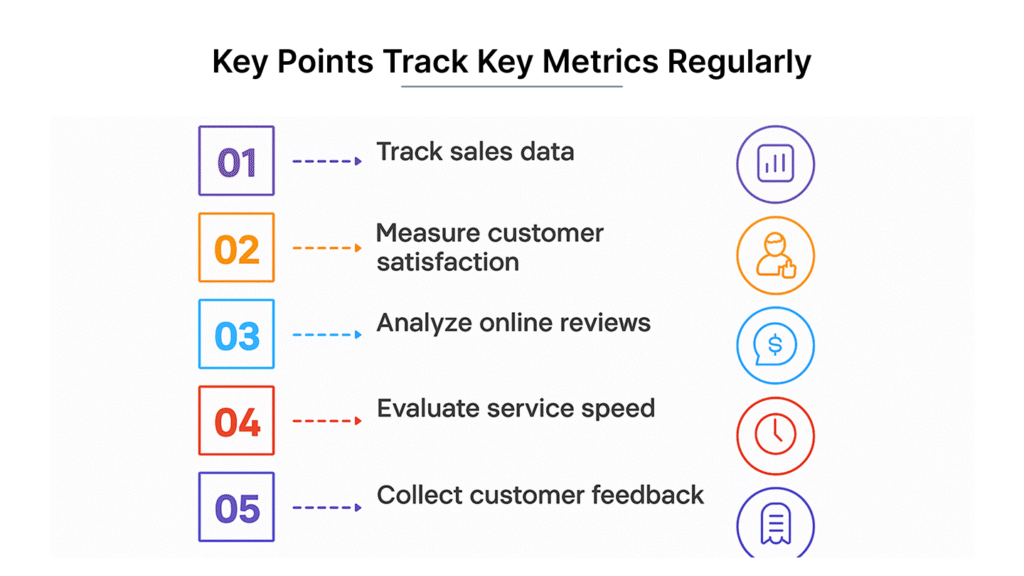
Image Source: Biz Infograph
The moment of truth arrives when you activate your real-time inventory system and begin monitoring its performance. This final step transforms how you track inventory by putting your careful planning into action.
Start tracking inventory in real-time
After implementation, immediately begin leveraging real-time visibility across all distribution centers and warehouses. This transparency throughout the supply chain ecosystem enables quick responses to demand fluctuations. In fact, real-time inventory tracking revolutionizes order fulfillment by providing instant updates about product availability and location. This capability allows businesses to determine the closest available stock and optimize order allocation, consequently reducing processing times and shipping delays. Additionally, the system synchronizes inventory across multiple channels, ensuring accurate product availability information.
Set up daily reports and KPIs
Establishing consistent reporting is vital for ongoing success. Track these essential inventory KPIs:
- Inventory turnover ratio = (total cost of goods sold / average inventory value)
- Stock to sales ratio = (Units available / Units sold)
- Days to sell inventory = (Average Inventory / Cost of Sales) x 365
- Backorder rate = (number of undeliverable orders / total number of orders) x 100
Use dashboards that automatically pull from data systems rather than relying on manual calculations. The frequency depends on your sales volume—high-volume businesses may require daily updates.
Adjust reorder points and stock levels
Utilize data-driven insights to optimize inventory levels. Calculate safety stock with this formula: (max daily usage x max lead time) – (average daily usage x average lead time). Through analyzing historical data and current sales patterns, businesses can maintain optimal inventory levels while minimizing excess stock. Modern inventory systems can set automatic replenishment when products drop to certain thresholds. As a result, you’ll maintain just enough inventory to meet customer demands without tying up capital in unsold merchandise.
Conclusion
Real-time inventory tracking fundamentally transforms business operations through better efficiency and accuracy. After following these five steps, you’ll experience dramatic improvements in how you manage stock across your entire operation. Your team will spend less time manually counting inventory and more time focusing on strategic business decisions.
Most importantly, customers benefit from your enhanced inventory management through better product availability and faster deliveries. Accurate stock levels mean fewer canceled orders, backorders, or disappointed shoppers. Additionally, financial benefits emerge quickly as you optimize inventory levels, reduce carrying costs, and free up capital previously tied up in excess stock.
The beauty of this approach lies in its simplicity. Though implementing real-time inventory tracking might seem daunting, our one-day implementation strategy makes the process straightforward and achievable. The system grows with your business, adapting to increasing complexity without requiring complete overhauls.
Remember, successful inventory management requires ongoing attention. Regular system reviews, staff training refreshers, and continuous optimization of reorder points will ensure your real-time tracking system delivers maximum value. Your inventory data provides valuable insights for future business decisions when properly analyzed and interpreted.
The competitive advantage gained from real-time inventory visibility cannot be overstated. While competitors struggle with outdated systems and inaccurate counts, your business will operate with precision, speed, and confidence. Therefore, we encourage you to start implementing these steps today – because efficient inventory management forms the backbone of successful retail and ecommerce operations.
Key Takeaways
Setting up real-time inventory tracking in one day is achievable with proper planning and the right tools. Here’s what you need to know to transform your inventory management:
• Assess before you invest: Document current manual processes, inventory locations, and existing tools to identify gaps and requirements for your new system.
• Choose integrated solutions: Select inventory software that connects with your accounting and ecommerce platforms to eliminate duplicate data entry and ensure seamless operations.
• Structure your data properly: Create unique SKUs for every product variant and organize items into logical categories for accurate tracking and reporting.
• Train and test thoroughly: Assign appropriate user permissions, run mock transactions, and verify data accuracy before going live to prevent costly mistakes.
• Monitor key metrics daily: Track inventory turnover, stock-to-sales ratios, and backorder rates to optimize reorder points and maintain ideal stock levels.
Real-time inventory tracking delivers immediate benefits: reduced manual counting, fewer stockouts, improved customer satisfaction, and better cash flow management. The key is following a systematic approach that transforms your inventory from a cost center into a competitive advantage.
FAQs
Q1. How can I implement real-time inventory tracking in my business?
Real-time inventory tracking can be implemented by using automated systems such as inventory management software and barcode scanners. These tools enable instant data capture and transmission, ensuring your inventory records are always up-to-date.
Q2. What are the key components of an effective real-time inventory system?
An effective real-time inventory system includes inventory management software, barcode or RFID scanning tools, integration with accounting and e-commerce platforms, and proper configuration of product categories and SKUs.
Q3. How often should I review my inventory data?
For most businesses, daily reviews of key inventory metrics are recommended. This includes tracking inventory turnover, stock-to-sales ratios, and backorder rates. High-volume businesses may require even more frequent updates.
Q4. Can I set up real-time inventory tracking without disrupting my current operations?
Yes, you can set up real-time inventory tracking with minimal disruption by following a systematic approach. This includes assessing your current processes, choosing the right tools, importing your existing inventory data, and thoroughly testing the system before going live.
Q5. What are the main benefits of implementing real-time inventory tracking?
Real-time inventory tracking offers numerous benefits, including reduced manual counting, fewer stockouts, improved customer satisfaction, better cash flow management, and the ability to make data-driven decisions about stock levels and reorder points.